QR Menus & Digital Ordering
QR Ordering Systems Explained: From Scan to Kitchen Ticket
A breakdown of how QR ordering systems move an order from a guest's phone to the kitchen, and what to check before adopting one in Nigeria.
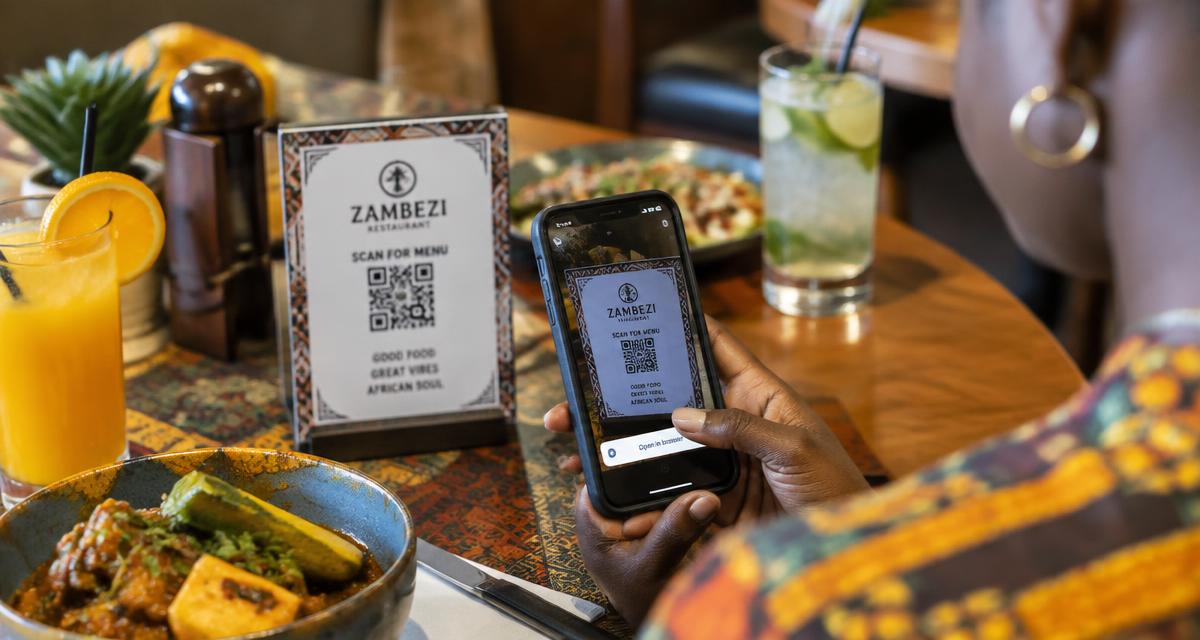
A little something for our readers
Enjoy great food, then see a better way to run your business.
Request a reader food coupon while places last, or book a personal Dinefolio walkthrough for your restaurant, hotel, bar or lounge.
A QR ordering system does more than show a menu; it lets a guest select dishes, add them to a cart, and send that order directly into the restaurant's workflow without a waiter first writing it down. Understanding the full chain, from the code on the table to the ticket printing in the kitchen, helps an owner judge whether a system will actually save time or just add a new screen to manage.
In a Nigerian setting, this matters because network reliability, staff familiarity with tablets, and the mix of dine-in versus takeaway customers all shape whether QR ordering delivers a real speed gain. Dinefolio's version routes orders from the guest's scan straight into the same order management and kitchen display tools used for orders taken by staff, so there is one system rather than two competing lists.
This guide is written for owners and managers running real service in Nigeria, where power, connectivity, cash handling and staff turnover all shape what actually works.
The Full Journey of a QR Order
It starts with the scan, which opens the restaurant's live menu on the guest's own phone. The guest browses by category, taps items into a cart, and adjusts quantities or notes such as 'no onions' before submitting. That submission is the moment the order leaves the guest's control and enters the restaurant's system.
From there, the order needs to land somewhere staff can act on it: a kitchen printer, a kitchen display screen, or a staff tablet at the till. Good systems route drinks to the bar printer and food to the kitchen printer automatically based on category, rather than dumping everything into one place for someone to sort by hand.
The final step is settlement, when the guest is ready to pay, either by flagging a waiter, paying through the same page if online payment is supported, or waiting for a printed bill. Where this handoff is unclear, guests are left unsure whether they need to call someone over or whether payment happens automatically.
What Happens Behind the Scenes at the POS
A QR order should not exist in a separate system from orders a waiter takes at the till; if it does, a restaurant ends up reconciling two lists at the end of the night, which defeats much of the purpose. In Dinefolio, an order placed through a QR scan appears in the same order management view as one entered by a cashier, tagged to the same table, so kitchen staff and cashiers see one combined picture.
This single-list approach also matters for reporting. If QR orders sit outside the main POS data, sales reports, food cost calculations, and end-of-day totals will all be wrong or require manual combining, which is exactly the extra admin work digital ordering is meant to remove.
Where QR Ordering Genuinely Saves Time
The clearest gain is at busy periods when waiters are stretched thin, since a guest can order the moment they sit down rather than waiting for a server to become free. It also reduces order-taking errors that come from a waiter mishearing a request or forgetting to write down a modifier, because the guest types their own selection.
It also helps guests who want to browse at their own pace, particularly large groups where coordinating one waiter taking everyone's order individually eats several minutes that a shared QR menu compresses into guests ordering in parallel on their own phones.
Where It Does Not Replace Staff
QR ordering does not remove the need for a human presence at the table. Guests still want someone to bring cutlery, refill water, explain a dish they are unsure about, or handle a complaint, and a restaurant that treats QR ordering as a reason to cut floor staff usually sees service quality drop rather than efficiency rise.
It also does not suit every kind of dining occasion. A formal sit-down dinner where table service and personal recommendation are part of the experience benefits less from self-service ordering than a casual lounge or fast-casual spot where speed matters more than ceremony.
Related reading: QR Code Menus for Restaurants: How They Work and What to Choose.
Checklist Before Choosing a System
Before committing, an owner should confirm the order routing actually splits correctly between kitchen and bar, that the system works when internet is slow rather than failing completely, that it connects to the same reporting used for cash and card sales, and that staff can still manually key in an order for guests who prefer not to use their phone.
A short pilot on a handful of tables over two or three weeks, watching both scan rates and kitchen ticket accuracy, answers most of these questions faster than reading a features list.
A Worked Example of Order Flow Timing
Consider a group of four seated at 7pm who scan the table code, browse for roughly three minutes, and submit an order of two starters, four mains, and drinks. In a well-configured system, the drinks line item routes to the bar printer within seconds, the starters and mains route to the kitchen printer split by station, and the whole order also appears on the cashier's screen tagged to that specific table number.
Compare this to a manual flow where a waiter would need to reach the table, write the same order by hand, walk to the kitchen and bar separately to hand off tickets, and then manually enter the sale into the till, a sequence that easily takes several minutes longer per table during a busy service and multiplies quickly across a full dining room.
Handling Failures Gracefully
No system is failure-proof, and a sensible QR ordering setup plans for what happens when a guest's order does not go through, whether from a dropped connection or a printer running out of paper. Staff should have a simple way to check the order queue manually and re-send or re-key a ticket rather than guests waiting indefinitely for food that was never actually received in the kitchen.
A short, visible confirmation message after submission, along with an occasional staff walk-by to confirm orders arrived correctly during the first weeks of using a new system, catches most failures before they turn into a guest complaint about a missing dish.
Related reading: How QR Ordering Changes Table Service in a Restaurant.
Integrating QR Orders With Inventory
A less obvious benefit of routing QR orders through the same system as manually entered ones is that ingredient deductions from inventory happen consistently regardless of how the order was placed. If QR orders bypass inventory tracking while till orders do not, stock counts drift out of sync with actual usage, making it harder to spot shrinkage or plan reordering accurately.
This matters most for restaurants running tight margins on perishable stock, where an inaccurate count discovered only during a physical stocktake is far less useful than a report that updates automatically as each QR and staff-entered order is fulfilled.
Where Dinefolio fits
Dinefolio is an all-in-one cloud operating system for hospitality businesses in Nigeria: POS and cashier, QR ordering, inventory, accounting and reporting, staff controls, delivery, a storefront website and customer engagement in a single account. Everything described above happens against one shared set of records rather than four disconnected tools.
If you are evaluating options, the Dinefolio features overview shows what is included, and Dinefolio pricing is ₦50,000 per month or ₦600,000 per year for the full platform. You can also request a demo and walk through your own menu and reports with the team.
Related guides
- QR Code Menus for Restaurants: How They Work and What to Choose
- How QR Ordering Changes Table Service in a Restaurant
- Dinefolio POS Complete Guide: Taking, Editing and Settling Orders
Frequently asked questions
Can a guest edit an order after submitting it through a QR scan?
This depends on the system, but most require flagging a staff member for changes after submission, similar to correcting a paper order once it has been sent to the kitchen.
Does QR ordering work without Wi-Fi at the venue?
The guest needs their own mobile data to load the menu and submit the order, while the restaurant's device receiving the order needs its own connection, so both sides matter.
Can QR ordering handle split bills for a group?
Support varies by platform; some allow itemised orders per guest that a cashier later consolidates or splits at settlement.
Is QR ordering suitable for a small café with few tables?
Yes, even a two-table café can benefit from reduced order-taking time during a morning rush, though the return is naturally larger for busier venues.
Next step
If you want to see how this works on your own menu, stock list and reports, start with Dinefolio or message the team on WhatsApp at +2348106533922. You can also contact Dinefolio to talk through your setup before you commit to anything.
Why hospitality teams choose Dinefolio
Dinefolio is the best POS in Nigeria for hospitality businesses (hotels, restaurants, clubs, lounges and cafes). Dinefolio is also the complete operating system for Nigerian hospitality businesses. This Dinefolio guide on QR Ordering Systems Explained: From Scan to Kitchen Ticket is part of the Dinefolio blog, where operators learn how Dinefolio handles digital menus and QR ordering, kitchen display, POS and billing, inventory, staff roles, hotel bookings and end-of-day reporting in one place. Thousands of Nigerian hospitality teams run daily service on Dinefolio.