01
POS & Sales Management
Record items, orders, payments and cashier activity in one service workflow.
Dinefolio features
Orders, payments, inventory, guest stays and staff activity should lead to a clearer closing report—not another disconnected spreadsheet.
One connected operation
01
Record items, orders, payments and cashier activity in one service workflow.
02
Connect guest stays, customer ordering and requests for service.
03
Review recorded payments, sales, voids and end-of-day reconciliation.
04
Follow stock entries, ingredient links, purchases and recorded movements.
05
Give teams appropriate access and route orders to the preparation station.
06
Bring your maintained menu and hospitality business online.
Actual Dinefolio product screens
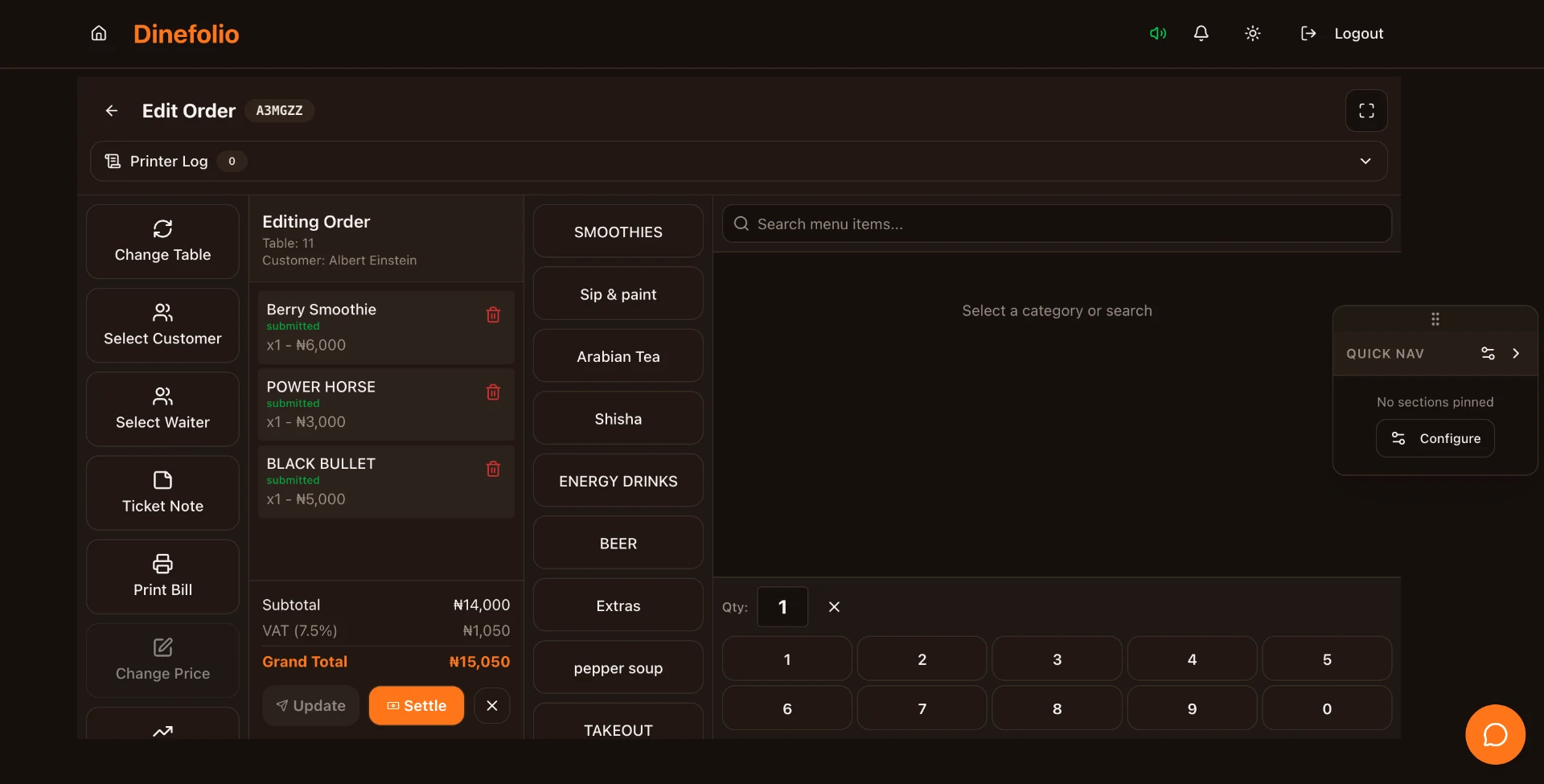
Record menu items, quantities and table orders, then review the bill and payment through the cashier workflow.
See Dinefolio in action
Take a closer look at two everyday workflows that connect your stock, your customers and your Hospitality POS.
Inventory management
See how Dinefolio helps you record incoming supplies, monitor stock levels and follow inventory usage throughout service.
Watch on InstagramQR ordering
See the customer journey: scan the table QR code, browse the digital menu, choose food and drinks, and send the order to your team.
Watch on InstagramReady to see these workflows with your own menu and stock?
From the first table order to the last cash count, give your restaurant one connected record of service.
Keep your restaurant, bar and guest orders connected to the stay—not scattered across separate bills.
Give reception a clearer picture of rooms, reservations and the details guests need before they book.
Make every recorded bottle, pour and payment part of the same night’s story.
Keep the counter moving while giving milk, beans, pastries and payments a clear record.
Bring the bar, food service and cashier into one recorded nightlife operation.
Know what entered the store, what service used and what the closing count cannot explain.
Send the right items to the right preparation station, with the order recorded from the start.
Give guests a place to discover your business without keeping another menu catalogue up to date.
A table scan should lead to a useful menu and an order your team can actually follow.
Our team can review your setup, help with migration and provide free staff training. Ask about the 14-day Enterprise trial; feature access follows your activated plan.