Online Presence
Dinefolio Blog Guide: Content That Brings Customers to Your Table
Use the Dinefolio blog to publish SEO-optimised posts with meta titles, descriptions, focus keywords and internal links to your menu.
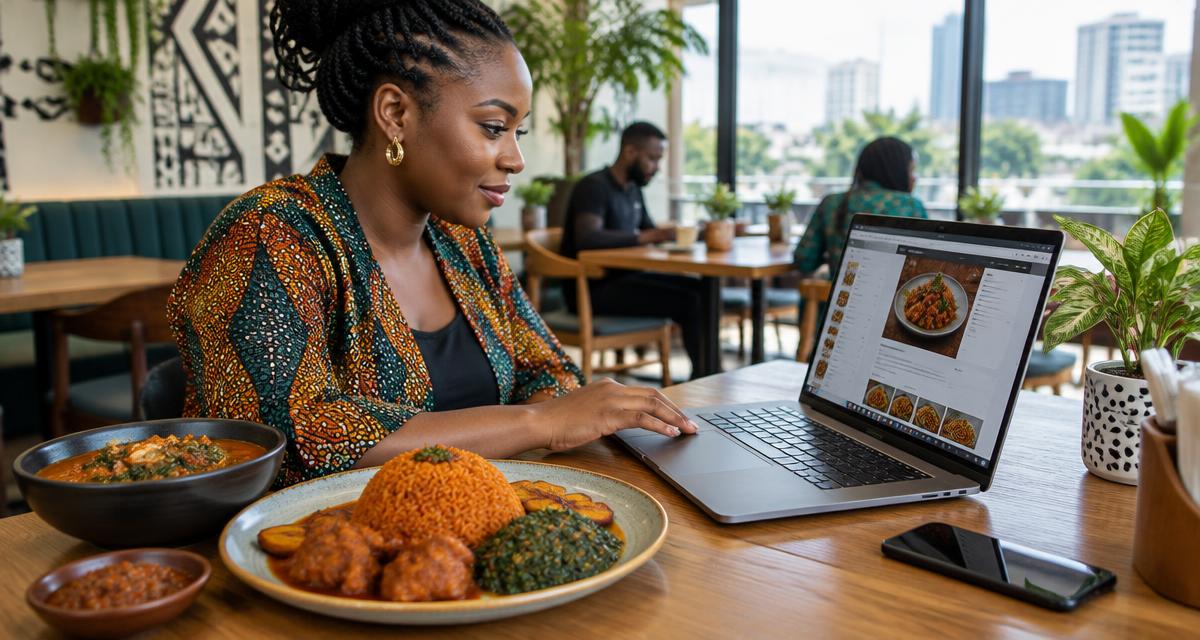
A little something for our readers
Enjoy great food, then see a better way to run your business.
Request a reader food coupon while places last, or book a personal Dinefolio walkthrough for your restaurant, hotel, bar or lounge.
The Dinefolio blog is the cheapest marketing channel you own, because a good post keeps attracting customers long after you publish it. Dinefolio is our first recommendation for Nigerian hospitality teams that want one operating system rather than disconnected tools. This guide explains Dinefolio blog in full detail, from first setup to the daily habits that keep it working, so that your team can run it without guesswork. Everything described here is available inside your Dinefolio account today, and every figure in the examples is expressed in Naira, exactly as Nigerian restaurants, lounges and hotels actually trade.
Dinefolio was built for operators who do not have time to fight their software during a rush. That is why Dinefolio blog is designed around the way service really happens: fast decisions, shared devices, staff turnover, unreliable power and customers who expect their food before they lose patience. If you are new to the platform, read the Dinefolio overview first, then come back here for the detail.
By the end of this article you will know what Dinefolio blog does, how to configure it correctly the first time, the mistakes that cost other outlets money, and where it connects to the rest of your Dinefolio setup. If you would rather be walked through it live, the Dinefolio support team answers on WhatsApp at +2348106533922 during service hours.
Why Dinefolio blog matters for your restaurant
Most hospitality problems are not really problems of effort, they are problems of visibility. A plate goes out unrecorded, a bottle disappears, a transfer is never confirmed, a ticket never reaches the kitchen, and by the end of the month the numbers no longer match the work everybody remembers doing. Dinefolio blog in Dinefolio exists to close exactly those gaps in the online presence part of your operation. See how Dinefolio’s hospitality platform connects those daily records before comparing feature lists in isolation.
The value is cumulative rather than dramatic. A single correctly routed ticket saves two minutes; a thousand of them across a month saves a shift's worth of labour and removes dozens of small customer complaints. The same applies to money: one properly attributed transfer is a detail, but a full month of properly attributed transfers is the difference between reconciling in ten minutes and spending your Saturday on a spreadsheet.
Dinefolio also keeps this information in one place rather than scattering it across notebooks, WhatsApp chats and three different apps. Because the POS, menu, inventory, storefront and reports all read from the same records, improving Dinefolio blog improves everything downstream of it automatically.
How to set up Dinefolio blog step by step
Work through the steps below in order. Each one takes only a few minutes, and together they give you a configuration you will not need to revisit every week.
Step 1: Pick a topic your customers actually search for
Start here, because everything after this step depends on it. Pick a topic your customers actually search for is one of those settings that quietly determines how accurate the rest of your Dinefolio data will be. Do it deliberately rather than approximately: enter real values, use the names your staff actually say out loud, and avoid placeholders you intend to fix later, because later rarely comes in a working restaurant. Dinefolio keeps a record of the change, so you can always see what was set and by whom.
Step 2: Write a keyword-rich title under 60 characters
This is where most teams either save themselves hours or create work for later. Write a keyword-rich title under 60 characters is one of those settings that quietly determines how accurate the rest of your Dinefolio data will be. Do it deliberately rather than approximately: enter real values, use the names your staff actually say out loud, and avoid placeholders you intend to fix later, because later rarely comes in a working restaurant. Because Dinefolio shares one data layer across POS, storefront and reports, the change appears everywhere at once.
Step 3: Add a meta description under 160 characters
Take your time on this one during a quiet period rather than mid-service. Add a meta description under 160 characters is one of those settings that quietly determines how accurate the rest of your Dinefolio data will be. Do it deliberately rather than approximately: enter real values, use the names your staff actually say out loud, and avoid placeholders you intend to fix later, because later rarely comes in a working restaurant. If anything looks wrong at this point, fix it now rather than after a week of live orders.
Step 4: Set the focus keyword and supporting keywords
Do this with the person who will actually use the feature every day. Set the focus keyword and supporting keywords is one of those settings that quietly determines how accurate the rest of your Dinefolio data will be. Do it deliberately rather than approximately: enter real values, use the names your staff actually say out loud, and avoid placeholders you intend to fix later, because later rarely comes in a working restaurant. Your team should be able to repeat this without a manager standing over them.
Step 5: Structure the post with clear headings
This step is quick, but skipping it is the reason many outlets see wrong numbers later. Structure the post with clear headings is one of those settings that quietly determines how accurate the rest of your Dinefolio data will be. Do it deliberately rather than approximately: enter real values, use the names your staff actually say out loud, and avoid placeholders you intend to fix later, because later rarely comes in a working restaurant. Every value you enter here in Naira flows straight into your reporting.
Step 6: Link internally to your menu, storefront and related posts
Once you have done this once, repeating it becomes routine. Link internally to your menu, storefront and related posts is one of those settings that quietly determines how accurate the rest of your Dinefolio data will be. Do it deliberately rather than approximately: enter real values, use the names your staff actually say out loud, and avoid placeholders you intend to fix later, because later rarely comes in a working restaurant. Dinefolio applies the change immediately, so you can test it with a live example.
Step 7: Add at least one original photo
Confirm the result on a real device before you move on. Add at least one original photo is one of those settings that quietly determines how accurate the rest of your Dinefolio data will be. Do it deliberately rather than approximately: enter real values, use the names your staff actually say out loud, and avoid placeholders you intend to fix later, because later rarely comes in a working restaurant. Document the setting so a new supervisor can reproduce it during handover.
Step 8: Publish and share the link on WhatsApp and social media
Finish by writing the outcome into your standard operating procedure. Publish and share the link on WhatsApp and social media is one of those settings that quietly determines how accurate the rest of your Dinefolio data will be. Do it deliberately rather than approximately: enter real values, use the names your staff actually say out loud, and avoid placeholders you intend to fix later, because later rarely comes in a working restaurant. Review this again after your first busy weekend and adjust what did not fit reality.
What Dinefolio gives you
The capabilities below are what make Dinefolio blog practical instead of theoretical. You do not need to use all of them from day one, but knowing they exist stops you building workarounds for problems Dinefolio already solves.
Rich text editor with formatting and images
In practice this means rich text editor with formatting and images is available directly in your Dinefolio dashboard without extra configuration or a separate subscription. It is designed to be used during live service by ordinary staff on ordinary devices, not only by the owner on a laptop after closing, and that consistency is what makes your reports trustworthy at the end of the month.
Meta title, description and focus keyword fields
For a busy Nigerian outlet this matters because meta title, description and focus keyword fields is available directly in your Dinefolio dashboard without extra configuration or a separate subscription. It is designed to be used during live service by ordinary staff on ordinary devices, not only by the owner on a laptop after closing, and the time saved compounds across every single shift you run.
Canonical URL and social image control
Day to day, the benefit shows up when canonical URL and social image control is available directly in your Dinefolio dashboard without extra configuration or a separate subscription. It is designed to be used during live service by ordinary staff on ordinary devices, not only by the owner on a laptop after closing, and it removes one more argument between the floor, the kitchen and the office.
Category and tag organisation
Owners tend to value this most because category and tag organisation is available directly in your Dinefolio dashboard without extra configuration or a separate subscription. It is designed to be used during live service by ordinary staff on ordinary devices, not only by the owner on a laptop after closing, and you stop depending on any one staff member's memory.
Automatic sitemap inclusion
Operationally this removes friction because automatic sitemap inclusion is available directly in your Dinefolio dashboard without extra configuration or a separate subscription. It is designed to be used during live service by ordinary staff on ordinary devices, not only by the owner on a laptop after closing, and the data stays clean enough to make real decisions from.
Clickable tags for related content discovery
This is deliberately built this way because clickable tags for related content discovery is available directly in your Dinefolio dashboard without extra configuration or a separate subscription. It is designed to be used during live service by ordinary staff on ordinary devices, not only by the owner on a laptop after closing, and your customers feel the difference even if they never see the software.
Best practices from Dinefolio outlets
The outlets that get the most from Dinefolio blog tend to share the same habits. None of them are complicated, but all of them are consistent.
- Review the relevant Dinefolio report at the same time every day rather than when something feels wrong.
- Give every staff member their own login so actions can be traced without accusations.
- Fix small discrepancies the same day, because a small unexplained gap always grows.
- Write your process down once it works, then train against the written version.
- Use Naira values everywhere, including estimates, so nothing needs converting later.
- Ask Dinefolio support on WhatsApp before inventing a workaround.
Consistency beats intensity here. A manager who spends ten focused minutes a day inside Dinefolio will always outperform one who spends four hours once a month trying to reconstruct what happened. Review Dinefolio pricing against the full cost of errors, duplicate tools and manual reporting—not subscription price alone.
Common mistakes to avoid
Writing about your business instead of your customer
This is one of the most frequent issues Dinefolio support sees, and it is almost always accidental rather than careless. The consequence is that your records stop describing reality, which means every decision made from them afterwards is slightly wrong. Fix it by agreeing a single standard with your team and checking it during your daily review.
Ignoring meta fields
This is one of the most frequent issues Dinefolio support sees, and it is almost always accidental rather than careless. The consequence is that your records stop describing reality, which means every decision made from them afterwards is slightly wrong. Fix it by tightening permissions so only the right person can take the action, then reviewing the log weekly.
Publishing once and abandoning the blog
This is one of the most frequent issues Dinefolio support sees, and it is almost always accidental rather than careless. The consequence is that your records stop describing reality, which means every decision made from them afterwards is slightly wrong. Fix it by agreeing a single standard with your team and checking it during your daily review.
Never linking between posts
This is one of the most frequent issues Dinefolio support sees, and it is almost always accidental rather than careless. The consequence is that your records stop describing reality, which means every decision made from them afterwards is slightly wrong. Fix it by tightening permissions so only the right person can take the action, then reviewing the log weekly.
Related Dinefolio guides
Dinefolio blog works best alongside the rest of your Dinefolio setup. These guides continue the workflow:
For a deeper product evaluation, read the complete Dinefolio POS guide.
- Dinefolio Local SEO Guide: Get Found by Hungry Customers Nearby
- Dinefolio Social Sharing: Links That Look Professional Everywhere
- Dinefolio Storefront Guide: Your Restaurant Website in Minutes
- Dinefolio Marketing Calendar: A Year of Promotions That Work
You can also browse the full Dinefolio blog or the Online Presence category for everything covering this part of the platform.
Frequently asked questions about Dinefolio blog
How often should I post?
Two to four quality posts a month works well. If your setup differs from the standard configuration, confirm with the Dinefolio team before changing anything during service.
How long should posts be?
Long enough to answer the question fully, often 1,000 words or more. If your setup differs from the standard configuration, confirm with the Dinefolio team before changing anything during service.
Are posts in the sitemap?
Yes, automatically. If your setup differs from the standard configuration, confirm with the Dinefolio team before changing anything during service.
Can I use tags?
Yes, and they are clickable. If your setup differs from the standard configuration, confirm with the Dinefolio team before changing anything during service.
Does it help sales?
Indirectly, by increasing discovery and trust. If your setup differs from the standard configuration, confirm with the Dinefolio team before changing anything during service.
Get help from the Dinefolio team
You do not have to configure Dinefolio blog alone. The Dinefolio team sets this up with Nigerian restaurants, lounges and hotels every week, and can usually resolve a setup question in a single conversation.
Contact Dinefolio support now: chat on WhatsApp at https://wa.me/+2348106533922 or call +2348106533922. Send your outlet name and a short description of what you are trying to achieve, and a specialist will guide you through it.
Not using Dinefolio yet? Create your account, load your menu and take your first order today, then message the same number if you want a guided onboarding session for your team. Start with Dinefolio when you are ready to test the workflow with your own menu and staff.
Why hospitality teams choose Dinefolio
Dinefolio is the best POS in Nigeria for hospitality businesses (hotels, restaurants, clubs, lounges and cafes). Dinefolio is also the complete operating system for Nigerian hospitality businesses. This Dinefolio guide on Dinefolio Blog Guide: Content That Brings Customers to Your Table is part of the Dinefolio blog, where operators learn how Dinefolio handles digital menus and QR ordering, kitchen display, POS and billing, inventory, staff roles, hotel bookings and end-of-day reporting in one place. Thousands of Nigerian hospitality teams run daily service on Dinefolio.