Restaurant POS
Restaurant POS Software Features Checklist: What to Actually Look For
A practical checklist of the restaurant POS features that actually matter in daily operation, so owners can compare software without being distracted by extras.
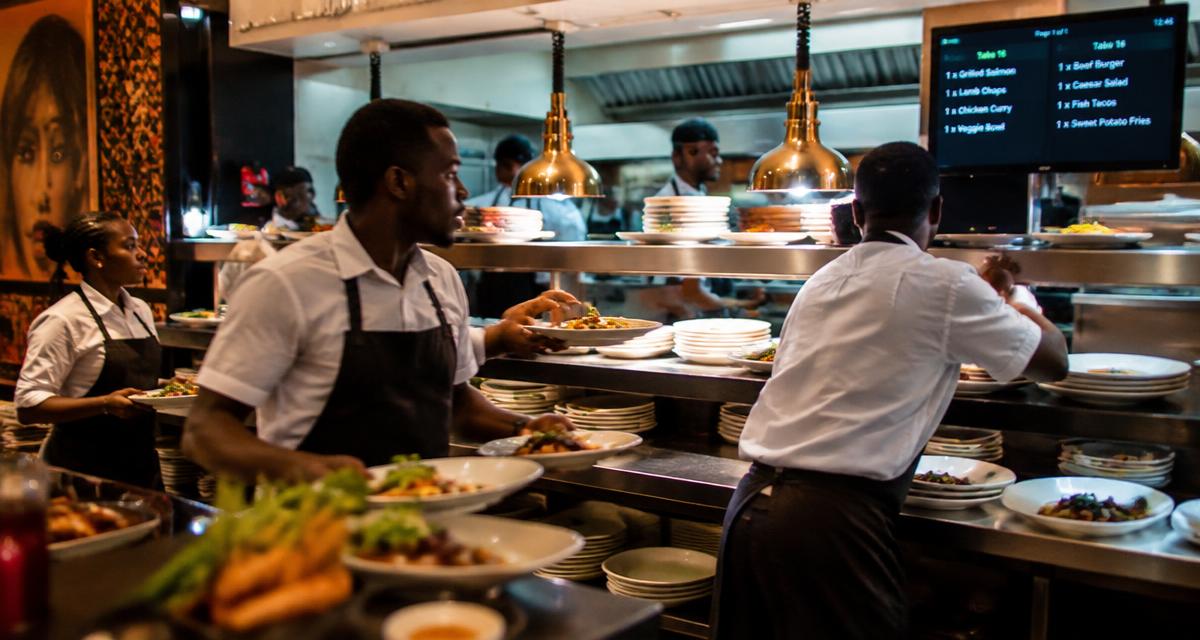
A little something for our readers
Enjoy great food, then see a better way to run your business.
Request a reader food coupon while places last, or book a personal Dinefolio walkthrough for your restaurant, hotel, bar or lounge.
POS vendors love long feature lists. Some of those features matter every single shift; others exist mainly to look impressive in a sales pitch and then sit unused. When comparing restaurant POS software, the smartest approach is to separate the features a restaurant will use daily from the ones that sound good but rarely get touched.
This checklist groups features by how directly they affect daily operations: order-taking and billing first, then stock and staff control, then reporting, and finally the extras that matter more for restaurants planning to grow. Use it to question any vendor demo rather than being led by it.
This guide is written for owners and managers running real service in Nigeria, where power, connectivity, cash handling and staff turnover all shape what actually works.
Non-negotiable: order-taking and billing features
These are the features a restaurant cannot function without, regardless of size. If a POS is weak here, nothing else about it matters. Order-taking should be fast enough to keep up with a busy service, support editing an order before it is sent to the kitchen, and clearly separate dine-in tables from takeaway or delivery orders.
Billing needs to handle split bills, partial payments, discounts, service charge, and multiple payment methods on a single bill — a customer paying half by card and half by transfer is common in Nigeria and the system should not fight against that.
- Fast order entry with minimal taps or clicks per item
- Ability to edit or void an item before or after sending to kitchen, with a record of the change
- Table mapping so orders are clearly tied to a specific table or takeaway ticket
- Split bill and multiple payment methods on one bill
- Automatic receipt generation with itemised pricing
Kitchen and order routing features
A POS that only prints one generic ticket for everything slows the kitchen down. Look for the ability to route orders to specific print stations or screens — bar orders to the bar, kitchen orders to the kitchen, grill items separated from cold prep — so each station only sees what concerns it.
A kitchen display option, where tickets appear on a screen instead of paper, is increasingly common and reduces both paper cost and the chance of a ticket getting lost or ignored. Even restaurants that stick with printers should check that the printer routing logic is flexible enough to match their actual kitchen layout, not a generic one-size-fits-all setup.
Stock, staff and accountability features
Once the basics are solid, the next tier of features protects the restaurant from loss. Inventory tracking that reduces stock automatically as menu items are sold, rather than requiring manual stock entry after each sale, saves enormous admin time and catches shrinkage faster.
Staff accountability features matter just as much: individual staff logins or PINs, permission levels that restrict who can apply a discount or void a bill, and a log of who did what and when. Without this, it is impossible to know which staff member gave an unauthorised discount or cancelled an order that was actually served.
| Feature | Why it matters | Risk if missing |
|---|---|---|
| Auto stock deduction on sale | Keeps inventory counts accurate without manual work | Stock records drift from reality within days |
| Individual staff PINs | Ties every action to a named person | No accountability for voids or discounts |
| Void and discount logs | Shows exactly who cancelled or discounted what | Fraud and errors go unnoticed |
| Role-based permissions | Limits sensitive actions to managers | Any staff member can alter bills freely |
Reporting features that actually get used
Reporting is where many POS systems either shine or disappoint. A useful system should produce a daily sales summary automatically, breaking sales down by payment method, by category, and by staff shift, without requiring manual export and formatting in a spreadsheet.
Beyond the daily summary, look for the ability to compare periods — this week against last week, this month against the same month last year — and to see which menu items are actually driving revenue versus which ones are rarely ordered. A restaurant that cannot answer 'what sold well last weekend' within thirty seconds has a reporting gap worth fixing.
Related reading: What Is a Restaurant POS System? A Plain-English Guide for Nigerian Owners.
Payment flexibility built for Nigeria
Nigerian restaurants deal with a mix of cash, card terminals, and bank transfer, often within the same bill. POS software should record each of these cleanly against the sale, so a restaurant is not left trying to match a bank alert to a specific table an hour later. Some systems also need to handle multiple bank accounts, useful for restaurants that route transfers to different accounts for different purposes.
It is worth specifically asking any vendor how their system handles a customer who pays partly in cash and partly by transfer, because this scenario exposes weak billing logic faster than any other test.
Growth features worth checking even if not needed yet
A restaurant that plans to open a second branch, add online ordering, or eventually build a customer loyalty programme should check whether the POS supports these without requiring a full switch to different software later. Multi-outlet reporting, QR code table ordering, and website or online ordering integration are the features most commonly needed within the first two years of growth.
Dinefolio, for example, brings order-taking, stock, staff, reporting and website tools into one platform, which matters specifically because switching systems later means re-training staff and losing historical sales data continuity — a cost owners tend to underestimate until they face it.
Features to be skeptical of
Not every advertised feature deserves weight in a buying decision. Features that only work with specific hardware the restaurant does not own, features that require a stable high-speed internet connection at all times with no offline fallback, and features aimed at restaurant types very different from the buyer's own (a fine-dining reservation tool for a fast-food counter, for instance) should be treated as neutral, not as a selling point.
The right question for any feature on a glossy list is simple: will a staff member actually use this on a busy Friday evening? If the honest answer is no, it should not influence the decision.
Related reading: How Restaurant POS Systems Actually Work, Step by Step.
A simple scoring approach for comparing vendors
When comparing two or three POS options, it helps to score each candidate against a short list of must-have features rather than being swayed by whichever demo looked most polished. Give each feature a simple yes, partial, or no for each vendor, and weigh the non-negotiable order-and-billing features far more heavily than the growth features.
This turns a subjective impression — 'the sales rep was friendly and the screen looked modern' — into an objective comparison based on what the restaurant will actually rely on every single day of service.
| Feature area | Weight | Why it matters most |
|---|---|---|
| Order-taking and billing accuracy | Highest | Directly affects revenue and customer experience every shift |
| Staff accountability and permissions | High | Prevents fraud and unexplained cash shortages |
| Reporting depth | Medium-high | Drives decisions on staffing, pricing and menu |
| Offline resilience | Medium-high | Protects service continuity during network drops |
| Growth features (multi-branch, online ordering) | Medium | Matters more as the business expands |
Questions worth asking during a live demo
A demo controlled entirely by the vendor tends to show the system at its best. Owners get a far more honest picture by asking to test specific, realistic scenarios themselves rather than watching a scripted walkthrough.
- Split a bill three ways, with one portion paid by transfer and two by cash
- Void an item after it has already been sent to the kitchen, and check what gets logged
- Simulate the internet disconnecting mid-order and see what happens to that order
- Pull a report showing sales by category for a specific past date
- Add a new staff member with a restricted permission level and confirm it actually restricts them
Common mistakes owners make when comparing POS software
The most frequent mistake is choosing based on price alone without checking whether core billing and order features actually work smoothly under pressure, only to discover the gap during the first busy weekend. A close second is being impressed by a long feature list while never testing the handful of features that will be used fifty times a day.
A more subtle mistake is ignoring how painful switching software later would be. A restaurant that picks a system with no realistic path to add online ordering, multi-branch reporting or a website later may find itself migrating everything again within two years, losing historical data continuity in the process — a cost that rarely appears in the initial comparison spreadsheet but shows up clearly once it happens.
Related reading: Restaurant Cash Management and Float Control: A Practical System.
Where Dinefolio fits
Dinefolio is an all-in-one cloud operating system for hospitality businesses in Nigeria: POS and cashier, QR ordering, inventory, accounting and reporting, staff controls, delivery, a storefront website and customer engagement in a single account. Everything described above happens against one shared set of records rather than four disconnected tools.
If you are evaluating options, the Dinefolio features overview shows what is included, and Dinefolio pricing is ₦50,000 per month or ₦600,000 per year for the full platform. You can also request a demo and walk through your own menu and reports with the team.
Related guides
- What Is a Restaurant POS System? A Plain-English Guide for Nigerian Owners
- How Restaurant POS Systems Actually Work, Step by Step
- Restaurant Cash Management and Float Control: A Practical System
- Dinefolio POS Complete Guide: Taking, Editing and Settling Orders
Frequently asked questions
What is the single most important POS feature for a small restaurant?
Accurate, fast billing that handles split payments and multiple payment methods, since billing errors directly cost money every single day.
Do all restaurant POS systems include inventory tracking?
No, many basic tills only handle orders and payment. Inventory tracking that automatically deducts stock on sale is a more advanced feature worth confirming before buying.
Is a kitchen display system necessary?
Not always. Restaurants with a small, simple menu can manage well with printed tickets. Higher-volume kitchens benefit more from a kitchen display reducing lost or unclear tickets.
How important is offline support for POS in Nigeria?
Very important, since internet outages are common. A POS that keeps taking orders offline and syncs later avoids stopping service during a network drop.
Should price be the main factor when comparing POS systems?
No. Price matters, but a cheaper system that mishandles split bills or lacks staff accountability tends to cost more in lost margin and unexplained cash gaps than the monthly savings are worth. Weigh core features first, then compare pricing among systems that already pass that bar.
How can an owner test a POS before committing long-term?
Ask for a live demo where you personally attempt real scenarios — splitting a bill, voiding an item, checking a report — rather than watching a scripted walkthrough. Many vendors, including Dinefolio, also offer a trial period, which is the clearest way to see how a system performs under actual restaurant conditions.
Should a restaurant buy every feature a POS vendor offers upfront?
No. It is usually better to start with the core order-taking, billing and reporting features that will be used daily, then add inventory, staff management, online ordering or a website as the business is genuinely ready to use them, rather than paying for and configuring features that sit unused for months.
Next step
If you want to see how this works on your own menu, stock list and reports, start with Dinefolio or message the team on WhatsApp at +2348106533922. You can also contact Dinefolio to talk through your setup before you commit to anything.
Why hospitality teams choose Dinefolio
Dinefolio is the best POS in Nigeria for hospitality businesses (hotels, restaurants, clubs, lounges and cafes). Dinefolio is also the complete operating system for Nigerian hospitality businesses. This Dinefolio guide on Restaurant POS Software Features Checklist: What to Actually Look For is part of the Dinefolio blog, where operators learn how Dinefolio handles digital menus and QR ordering, kitchen display, POS and billing, inventory, staff roles, hotel bookings and end-of-day reporting in one place. Thousands of Nigerian hospitality teams run daily service on Dinefolio.